The Outsider Perspective
Learn to identify bad Upwork clients before accepting a contract. Red flags in job posts, client profiles, and interviews that cost freelancers time and money.
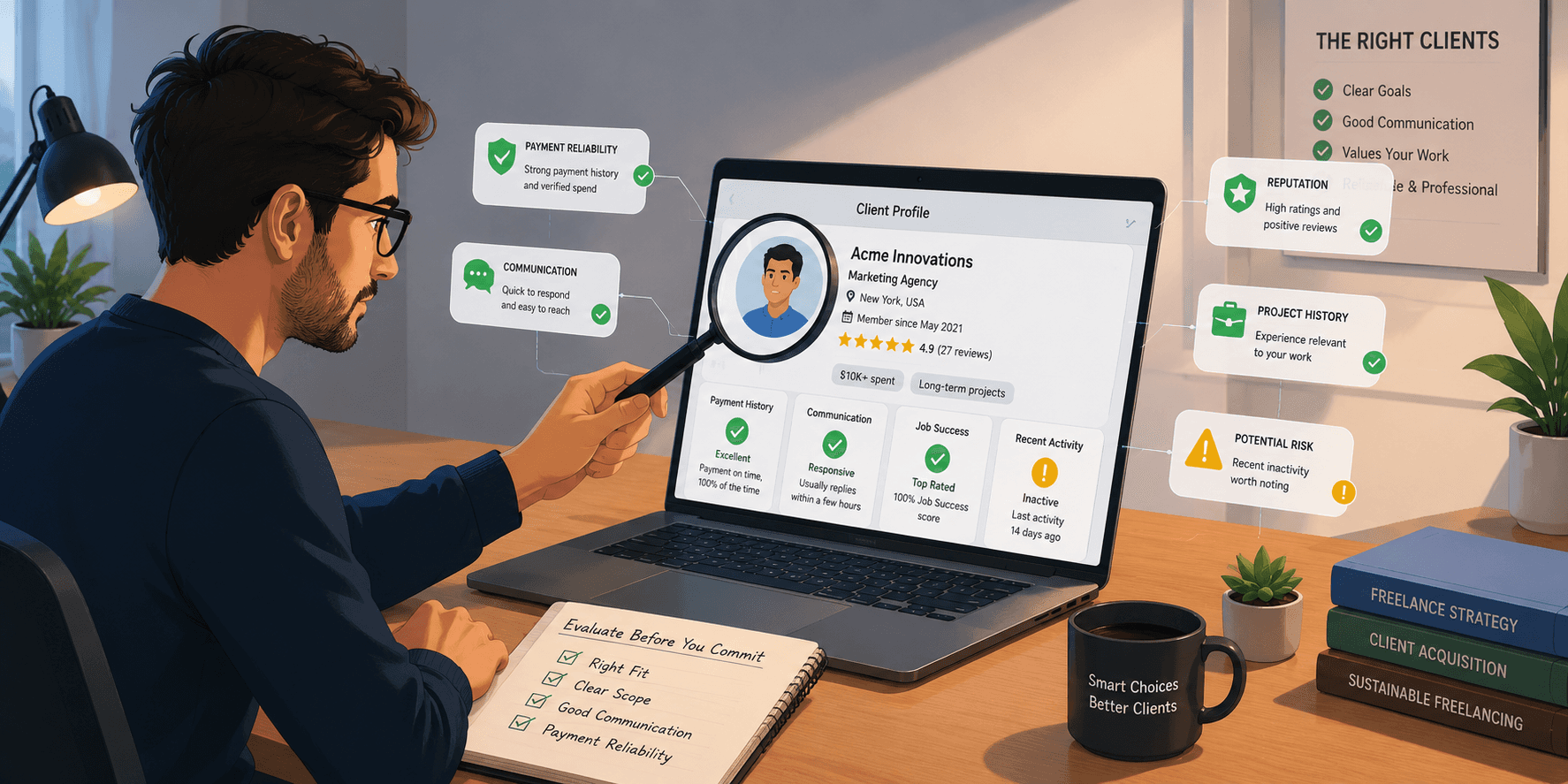
You've been there. The project sounded reasonable. The client seemed fine. But two weeks in, you're dealing with endless revisions, scope creep, unanswered invoices, or something worse.
A bad client costs you more than the lost money. It costs you the time you could have spent on better work, the mental energy dealing with conflict, and sometimes your Job Success Score if the relationship sours publicly.
The good news: most bad clients reveal themselves before you accept the contract — if you know what to look for.
This guide covers exactly what to check, what to ask, and what to walk away from, so you stop learning these lessons the hard way.
Why Vetting Clients Is a Non-Negotiable Skill
Most freelancers get better at proposals over time. Far fewer get better at client evaluation — and that's where a lot of avoidable pain lives.
A study published in a 2024 report on platform freelancing found that disputes, scope creep, and payment issues are among the top reasons freelancers leave platforms or experience income instability. The irony is that many of these situations are avoidable with 5–10 minutes of upfront screening.
On Upwork specifically, you have more information available than on most platforms. The client's profile, payment history, past reviews, and job post quality all tell you a lot — before you spend a single Connect.
Red Flag #1: Unverified Payment Method
This should be the first thing you check, and it's non-negotiable.
Upwork shows whether a client has a verified payment method on their profile. If they don't, you have no guarantee of getting paid. Full stop.
What to do: If you see "Payment method not verified," either skip the job or, at minimum, don't accept a milestone without verification. Upwork's payment protection only covers milestone payments funded before work begins — and funding isn't possible without a verified method.
This filters out a large percentage of problematic clients before you read another word.
Red Flag #2: Zero (or Very Low) Hire Rate
The hire rate on a client's profile tells you what percentage of jobs they post actually result in a hire. A client who posts constantly but rarely hires falls into one of a few categories:
They're using Upwork to fish for ideas or free consultation disguised as job posts
They're extremely difficult to please and freelancers keep declining
They're not serious about moving forward
What to watch for:
Hire rate below 30% on a client who has posted 10+ jobs: concerning
Hire rate of 0% on a client with 5+ open jobs: a significant red flag
High number of open jobs posted simultaneously: suggests they're not seriously pursuing any of them
A healthy client typically has a hire rate above 60%.
Red Flag #3: No Reviews, No History
A client with zero reviews and no total amount spent can be a legitimate new client — or not. You can't tell from the profile alone.
The right response isn't to automatically decline. It's to ask a few calibrating questions before investing significant proposal or interview time:
"Have you worked with freelancers on Upwork before?"
"What does success look like for this project?"
"What's your timeline?"
A legitimate new client will answer these naturally. A client who becomes defensive, vague, or disappears after these basic questions is telling you something important.
If you do take on a client with no history, protect yourself by:
Keeping the first milestone small and scoped
Getting clarity on deliverables in writing before starting
Never working ahead of a funded milestone
Red Flag #4: Scope Inflation in the Job Post
Read job descriptions carefully for the ratio of budget to scope. This is one of the most reliable early signals.
Signs of unrealistic scope expectations:
"Build a full e-commerce website with payment integration and inventory management" → $150 budget
"Need an experienced data scientist to build predictive models and ML pipeline" → "$5–15/hr"
Long, detailed wish lists with no clear priority order, attached to low budgets
This doesn't always mean the client is malicious — sometimes they genuinely don't know what things cost. But going in without addressing the expectation gap is setting yourself up for a painful conversation later. If you apply, address the mismatch directly in your proposal or opening message.
What you might say:
"Just want to flag that projects like this typically run $X–$Y. Happy to talk about what's most critical if the budget is fixed."
A reasonable client will appreciate the honesty. A difficult client will dig in — and that response tells you what the working relationship will look like.
Red Flag #5: Demanding Free Work Before Hiring
Some clients ask for work samples, which is reasonable. Others ask for work on their actual project before any contract exists.
Learn to tell the difference:
Reasonable: "Can you share examples of similar past work?"
Reasonable (with limits): "Can you do a 30-minute paid test task?"
Red flag: "Design three logo concepts so I can see your style" — before a contract
Red flag: "Write the first section of the article so I can assess your writing" — on their actual deliverable, unpaid
Never do spec work on an actual deliverable without a contract. The logic is always that "they just want to see your approach" — but the output is real work that they can use whether they hire you or not.
If a client insists on free spec work as a condition of considering you, decline and move on. The clients worth working with don't operate this way.
Red Flag #6: Poor Communication Before the Contract
How a client communicates before they hire you is a preview of how they'll communicate after.
Watch for:
Long delays in responding to messages (more than 2–3 business days during initial stages)
Vague answers to direct questions about deliverables or timeline
Tone that's dismissive, impatient, or condescending
Frequent changes to what they're asking for in the first few exchanges
You will have questions during the project. Problems will come up. How a client handles pre-contract communication tells you a lot about how they'll handle those moments.
Red Flag #7: The "Simple Project" That's Actually Complex
This pattern is so common it has a name among experienced freelancers: scope bait.
It starts with a job post that sounds simple and contained. When you discuss it, layers emerge. By the time you understand the full picture, you're looking at a project 3x more complex than the original description — but the client expects the price to stay at the original estimate.
How to protect yourself:
Ask clarifying questions before quoting: "Can you walk me through all the features/deliverables you're envisioning?"
Explicitly confirm scope in writing before starting: "Based on our conversation, the scope includes X, Y, Z. Anything outside that would be a change order."
Milestone your work so that scope expansion gets caught early rather than at final delivery
Red Flag #8: Negative Patterns in Past Freelancer Reviews
Client profiles often have reviews from freelancers who worked with them — and these are worth reading carefully.
Look for:
Reviews that mention communication problems, even if the star rating is high ("the project dragged on longer than expected, but eventually delivered")
Multiple freelancers saying similar things about shifting requirements
A mix of high and very low ratings from different contractors (suggests inconsistent treatment)
Reviews from a string of short contracts on the same ongoing project (possible sign of high turnover)
Also look at public client responses to negative reviews. A client who responds defensively, dismissively, or accusatorially to a critical review is showing you exactly who you'd be working with.
Green Flags: What Good Clients Look Like
It's worth naming what you're looking for, not just what to avoid.
Strong client signals:
Payment verified, $5k+ total spent: They've built a track record on the platform
Hire rate above 70%: When they post a job, they actually fill it
Clear job description with specific deliverables and realistic budget
Responsive communication: Quick, clear answers to your pre-proposal questions
Positive freelancer reviews that mention things like "clear feedback" and "paid on time"
These clients exist, and they're worth finding — even if it takes a few more minutes of upfront screening.
How SmartBid Helps You Filter Better
Part of avoiding bad clients is simply having better access to the good ones. When you're forced to apply broadly because quality opportunities are hard to find, you're more likely to take on marginal clients out of desperation.
SmartBid filters Upwork jobs by client quality signals — including payment verification, hiring history, and client spend — so you're seeing a curated set of higher-probability opportunities before you invest time evaluating them one by one. Better starting point, better outcomes.
What to Do When You're Already in a Bad Contract
Sometimes you don't catch the red flags early enough. If you're already in a difficult engagement, your options depend on the stage:
Clarify scope in writing immediately. Get alignment on what was agreed before continuing work.
Stop work if payment is at risk. Don't complete a milestone before it's funded.
Use Upwork's dispute process. If a client refuses to release a funded milestone without reasonable grounds, the dispute system exists for this purpose.
End the contract professionally. If the relationship is genuinely unsalvageable, closing it cleanly is better than dragging it out for more damage — to your JSS or your peace of mind.
And review the contract publicly if appropriate. Honest, professional reviews help the next freelancer make a better decision.
Conclusion
Vetting clients isn't cynicism — it's business discipline. The five minutes you spend evaluating a client before applying or accepting is one of the highest-return activities in your freelance workflow.
Most bad client situations are visible in advance if you know what to check. Verified payment, realistic scope-to-budget ratio, professional communication, and a clean history on the platform are not guarantees — but they're the closest thing to reliable signals you have.
Get good at this, and you'll spend more of your time doing work you're proud of, with clients who value it.
SmartBid surfaces high-quality Upwork opportunities with built-in client quality signals — so you're starting from a better pool, not just filtering better from a bad one.
FAQ
How do I check if an Upwork client is legitimate?
Check for a verified payment method, total amount spent on the platform, hire rate, and reviews from past freelancers. All of this is visible on the client's public profile.
What is a good hire rate on Upwork?
Above 60% is generally healthy. Below 30% for a client who has posted many jobs is a warning sign that they either don't follow through or are difficult to work with.
What should I do if a client asks for free work before hiring?
Decline politely. Free spec work on actual deliverables is a red flag. You can offer to share past work samples or discuss approach, but never do real project work without a contract.
Can I tell if an Upwork client is bad from the job description alone?
Sometimes. Look for mismatched scope and budget, vague deliverables with no priority order, and language that suggests they've already had multiple freelancers on the project. These don't guarantee a bad client, but they warrant careful evaluation before applying.
What should I do if a client tries to expand scope after the contract starts?
Stop and clarify. Document the original scope from your pre-contract conversation and the proposal, confirm what additional work would require a new milestone, and address it directly before continuing. Letting scope creep go unaddressed only makes it worse.